

Changelog CEMM update 1.11.0
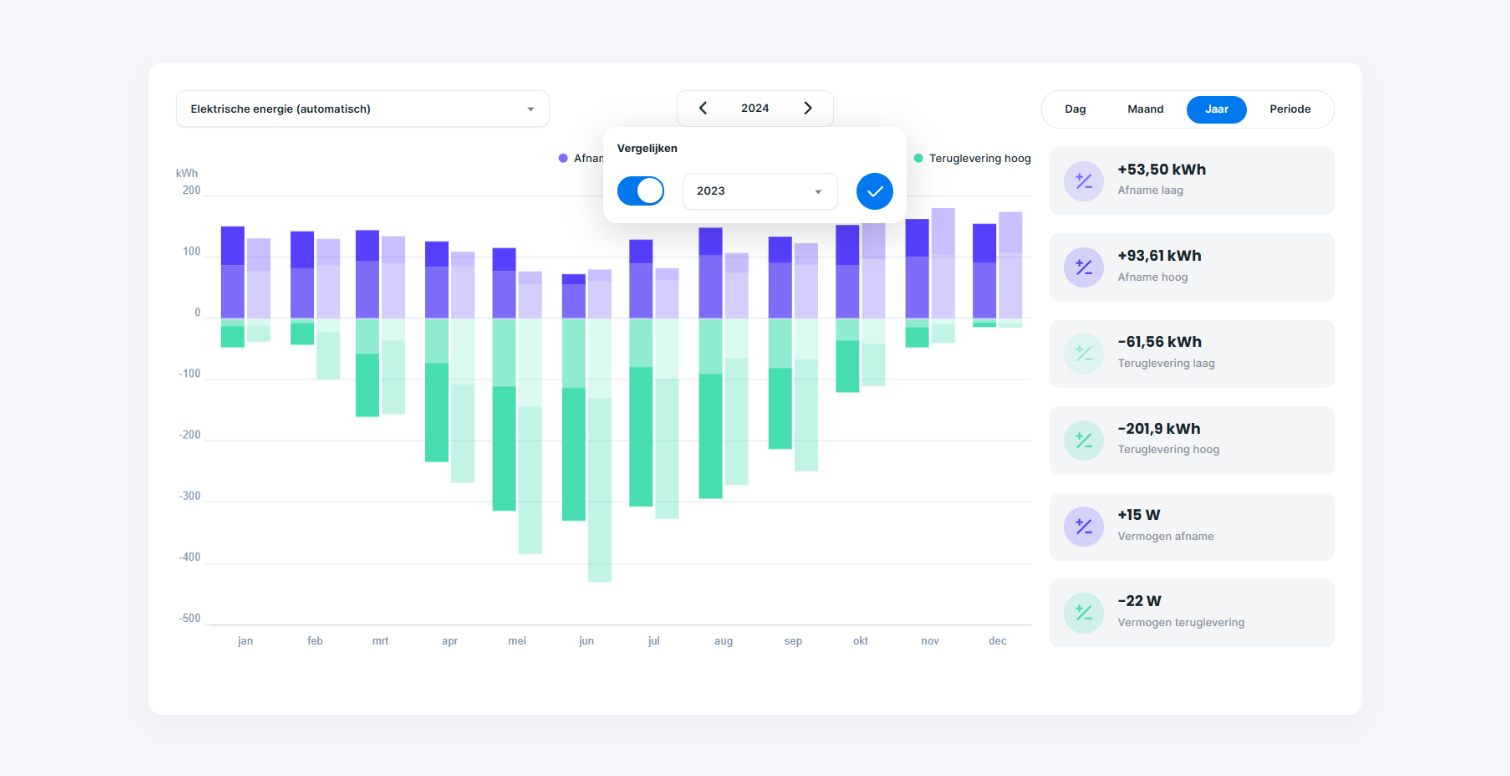
Update 1.11.0 for CEMM has been released. The update will be automatically installed on your CEMM 3.0 during the week of February 17th if automatic updates are enabled. The update can be installed manually immediately.
Still using a CEMM basic or CEMM plus? Take advantage of all the new features by purchasing a one-time upgrade to CEMM 3.0.
Changelog
- A comparison function has been added to the meter graph pages. When selecting a date, you can now specify a second date. Both periods are displayed in a single graph. The difference between the primary and secondary periods is shown next to the graph for each channel. This works for daily, monthly, and annual periods.
- Tooltip in graphs expanded with channel titles.
- New notification type "meter offline." This notification is generated when a CEMM has not received data from one or more meters in the past fifteen minutes. It is only generated if data was collected in the preceding fifteen minutes. This notification can be configured for all meters or a selection.
- Added support for the Eastron SDM630 TCP meter (Modbus TCP Eastron module).
- When adding widgets, an illustration and description of each widget type are now shown, to make adding a widget easier and clearer.
- The "Text widget" now supports simple Markdown formatting, such as italics and bold, titles, and lists. See the wiki for more information. Currently, links and images are not allowed.
- Sustainability widget simplified to make it clearer and more compact.
- The "static chart widget" will be removed in the next update. Replace these widgets with the "chart widget."
- Adjusted arrow in wind widget, it was rotated 180 degrees.
- In certain situations, the statistics next to the graph displayed values for the entire day even when the graph was zoomed in. This has now been fixed.
- In some cases, the x-axis of graphs didn't display the correct labels (for example, day numbers in the month graph). This has now been fixed.
- We recently expanded the Wiki homepage with an overview of all functionalities and on the Channels page a technical explanation of channels can be found.