Always stay informed with notifications.
CEMM 3.0 offers extensive notification options. With a push notification, you'll be immediately notified of an urgent problem like a leak or a solar panel system that's not producing any energy. You can also receive a daily or monthly email overview of your energy consumption or production, for example.
You determine exactly under which circumstances notifications are generated.
Determine the content of your message and, for example, distinguish between a report or an important situation.
Determine which user receives which notifications, in what way, and at what times.
Full control
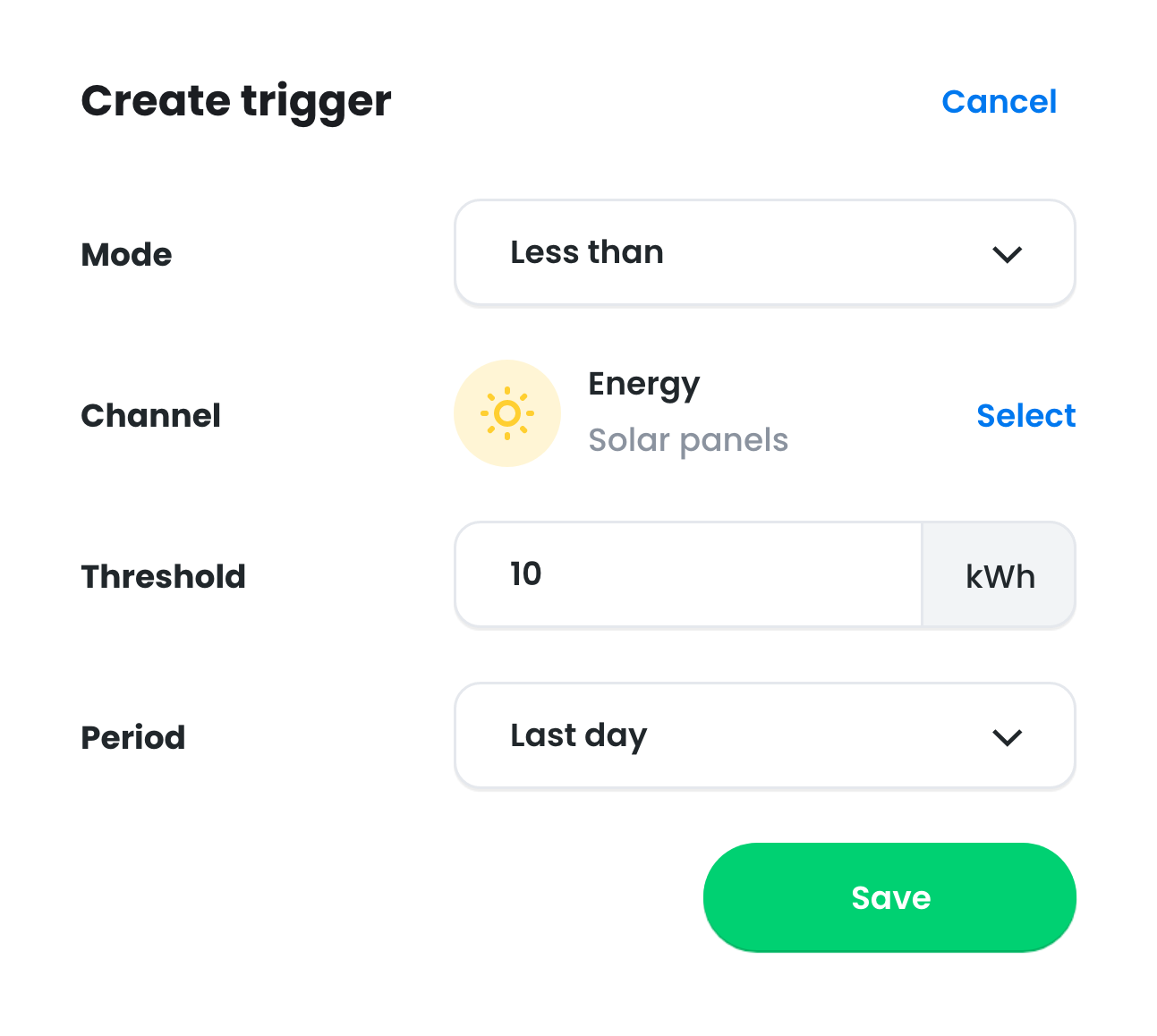
Easily add as many notification triggers as you like. You determine the circumstances under which a notification is triggered . For example, during high or low usage within a chosen period. You set the threshold, and for the interval, you can choose from minute values, daily, or monthly totals.
Greater or less than
Determine whether the notification is generated when more or less energy is consumed or produced in a certain period.
Threshold value and period
Set the threshold and the period to which it applies. For example, last minute, last day, or last month.
Expression
The advanced 'Expression' option allows you to define the conditions for a notification even more precisely and even combine multiple data.
Customize message
You control the content of your notification messages, allowing you to customize them to your liking. This makes it easy to distinguish between notifications that are particularly important and those intended as a monthly report.

Users and devices
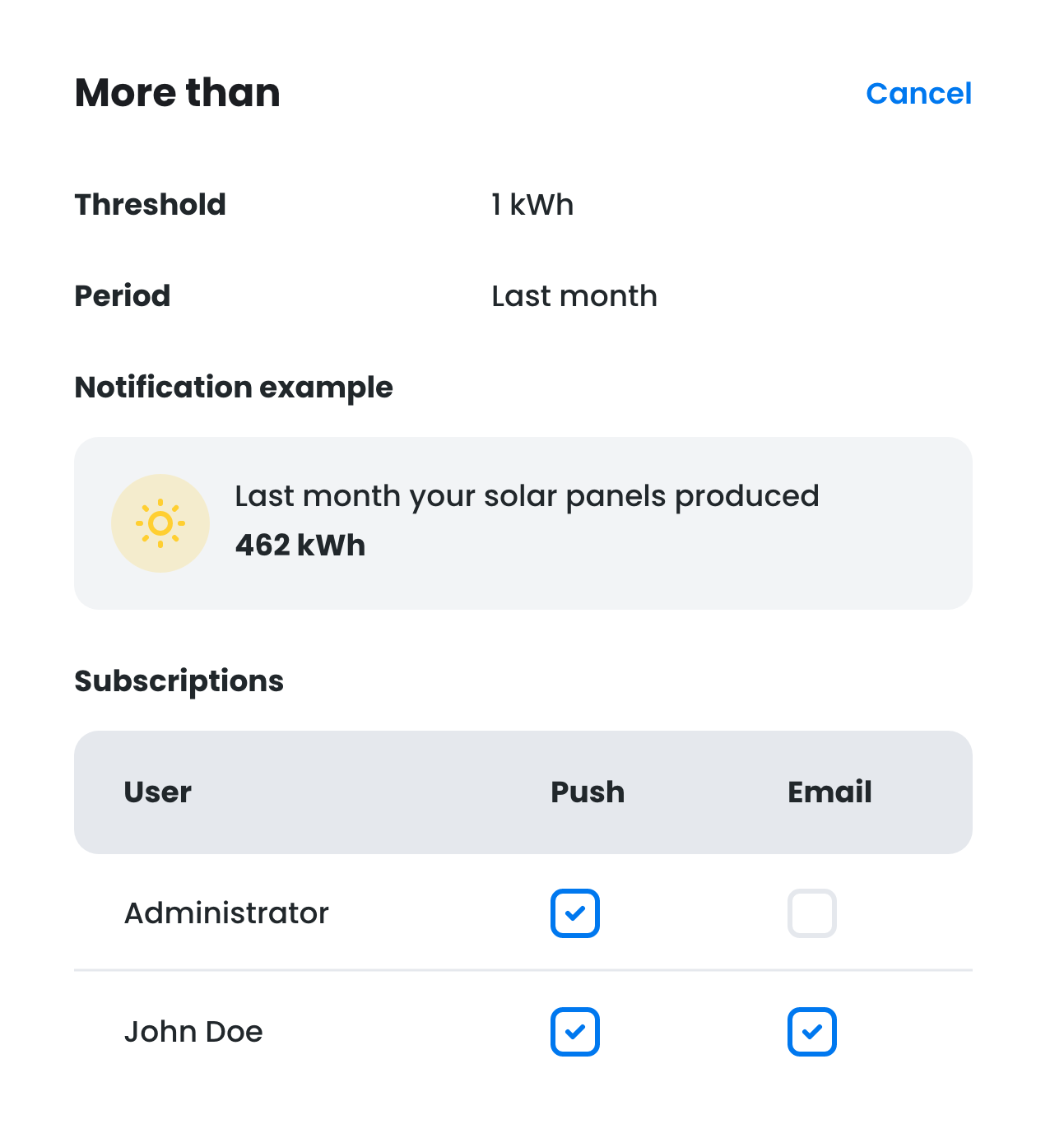
You decide which users with access to this CEMM receive your notifications. You can also configure each user to receive notifications via Push (CEMM 3.0 app required) and/or email.
Users
Configure which notifications each user or administrator can receive. This also allows you to restrict notifications to only the administrator of the CEMM in question.
Push or email
Choose per user whether they receive notifications via the app (Push) or email. Each user can specify during which times they do not want to receive notifications via their account settings.