

Support
View various manuals on connecting and installing your CEMM, get answers to frequently asked questions, or contact us.
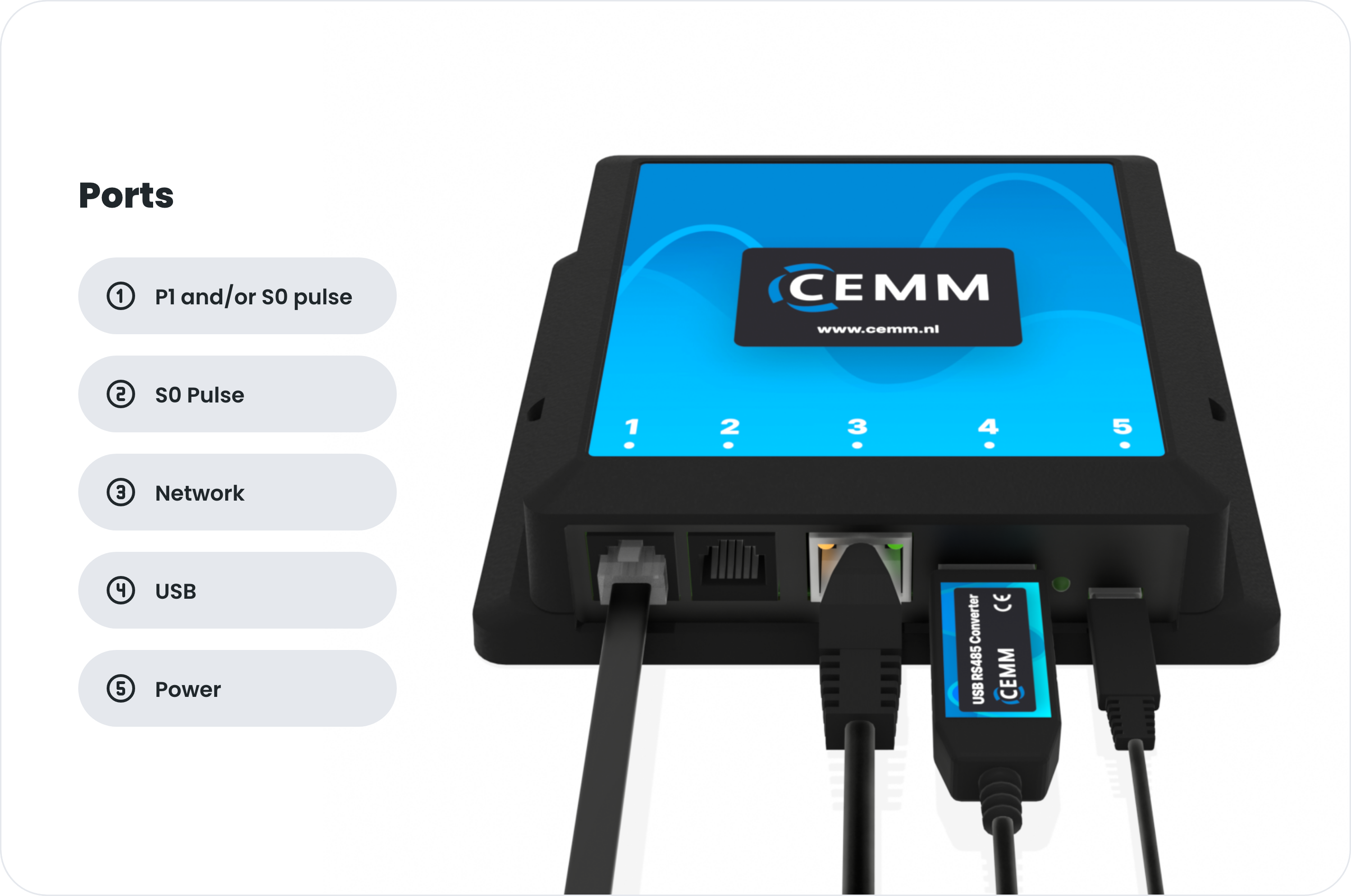
Installation
Place your CEMM in the meter cabinet or technical room. Connect the network cable to your router and to port 3. Connect the power supply to port 5 and plug it into a power outlet. Then connect your meters and sensors to the designated ports as required.
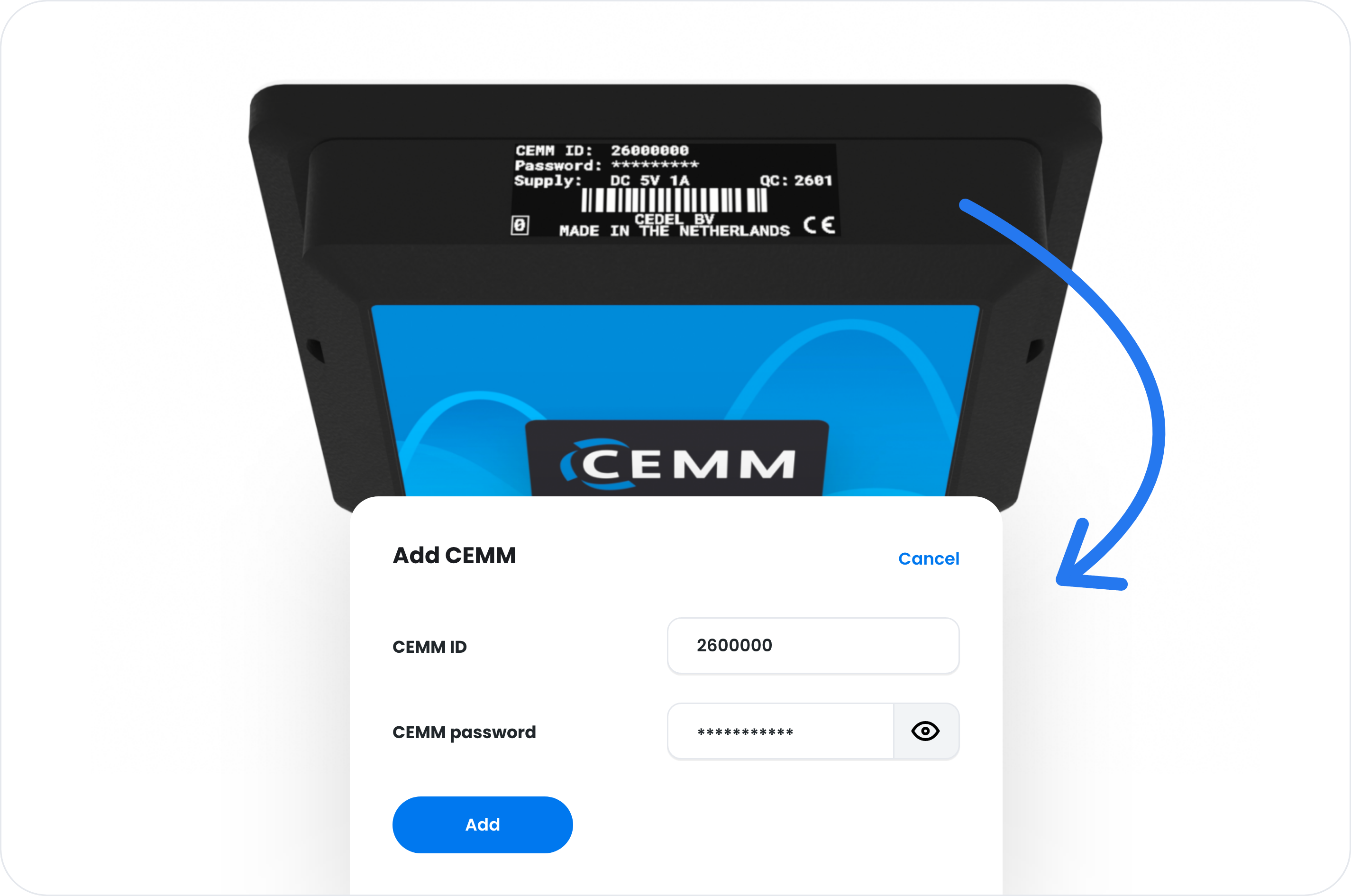
Link to your account
Go to portal.cemm.nl or open the CEMM 3.0 app on your smartphone. Create an account and log in. Then click on “Add CEMM.” Enter the CEMM ID and password shown on the sticker on the top side of your CEMM. After pairing, you can click on your CEMM to open it.
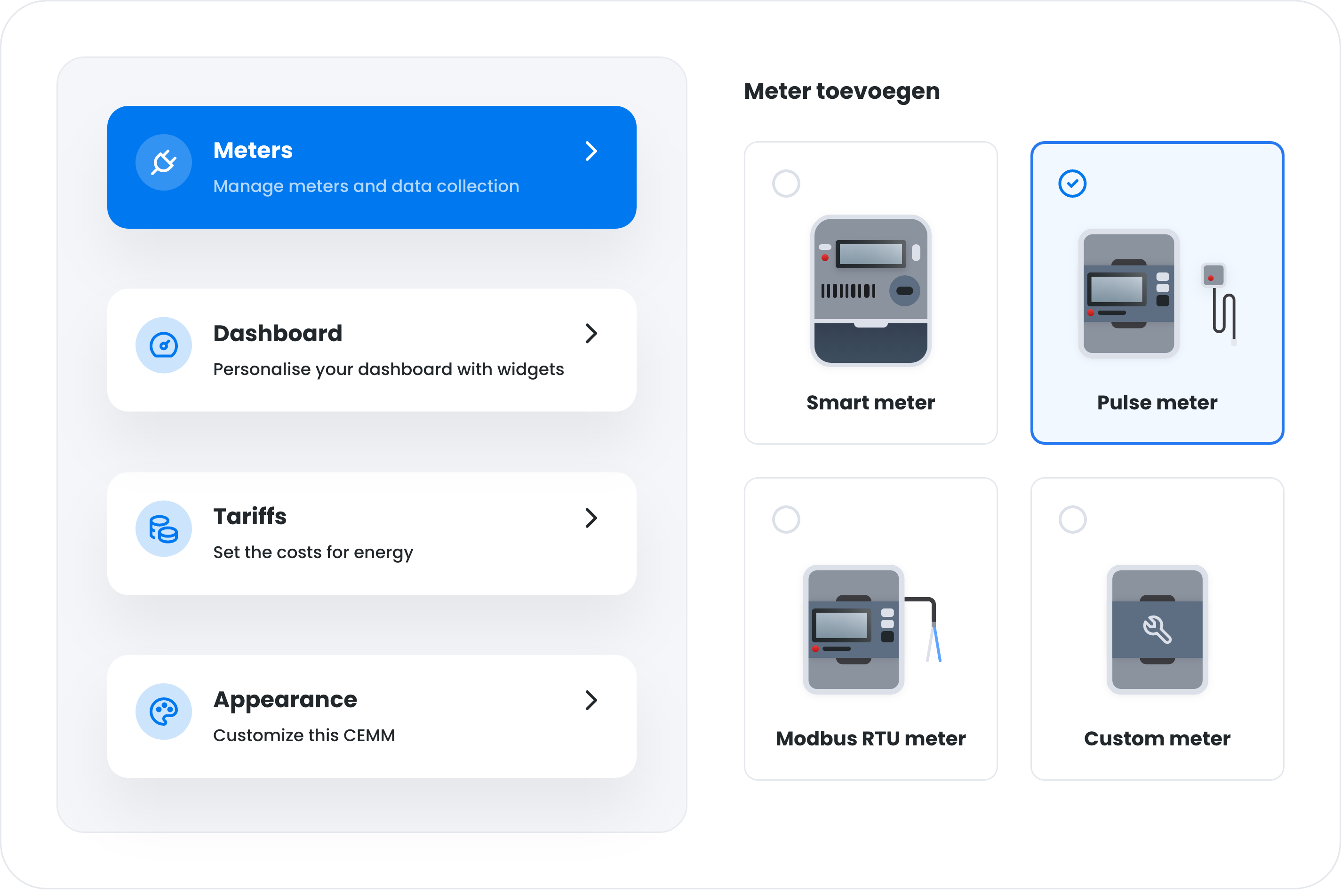
Configure
After opening your CEMM, you will have access to all data and settings. Is your CEMM new and not yet configured? Then go to Settings > Meters and add meters and sensors as required.
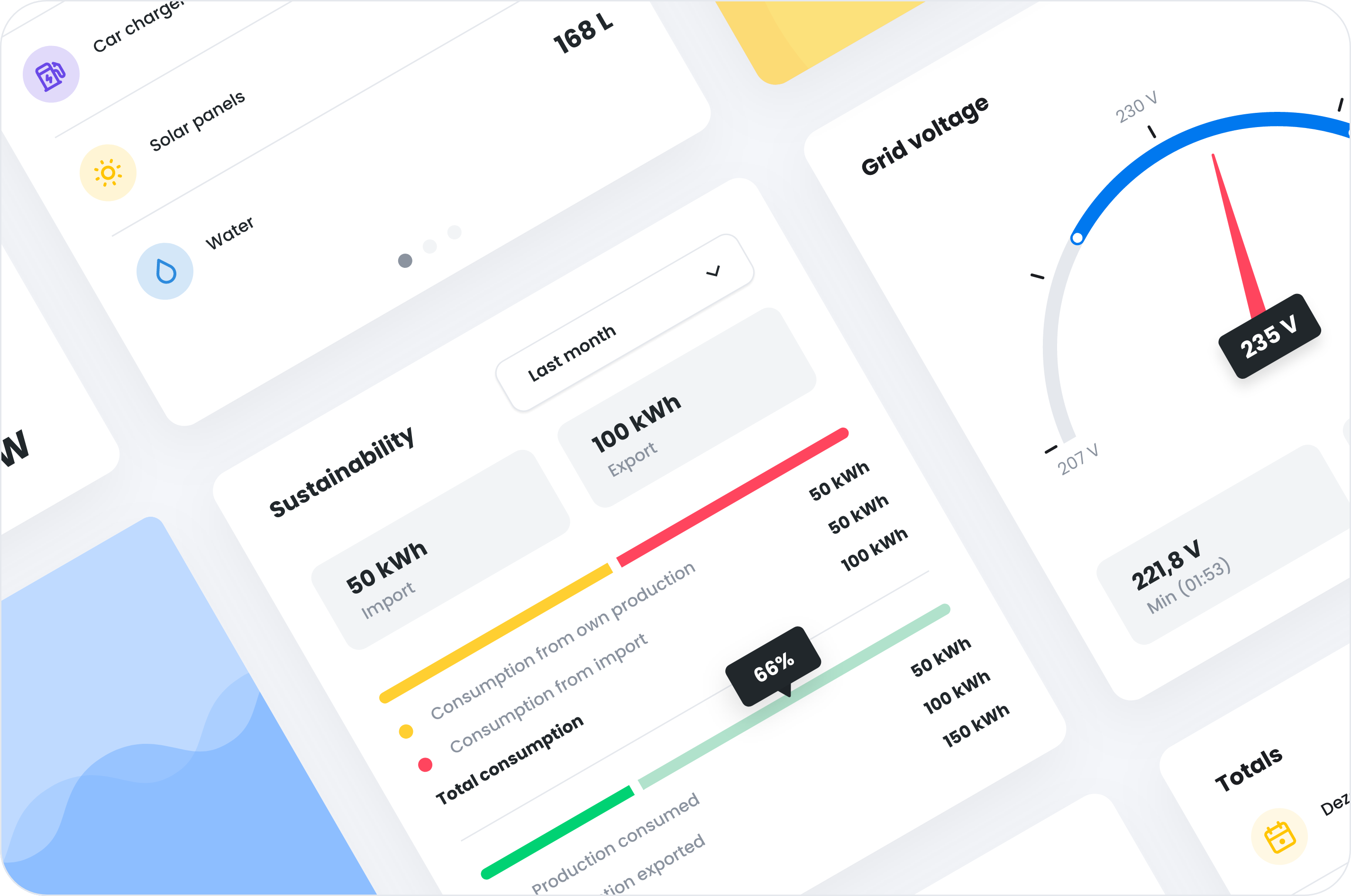
Use
Your CEMM stores the data from all connected meters and sensors every minute. You can view your CEMM at any time via the app or a web browser. Do you have any questions about setting up, using, or the capabilities of your CEMM? Please feel free to contact us.
Knowledgebase
Open the WikiAt wiki.cemm.nl you'll find extensive documentation on all aspects of CEMM 3.0. See the most popular articles below, or go directly to the Wiki to view all articles.
Downloads
Contact
Need help configuring your CEMM? Before contacting us, please invite 'support@cemm.nl' via Settings > Access Management (if possible) and have your CEMM ID ready.
info@cedel.nl
We try to answer your email within 1-2 business days.
+31 (0)592 545 542
Telephone opening hours: Mon-Fri between 09:00 and 12:15, and between 13:15 and 16:00.
CEMM is a product of Cedel B.V., a Dutch engineering firm specializing in sustainable energy. For more information, visit cedel.nl.