

Changelog CEMM update 1.12
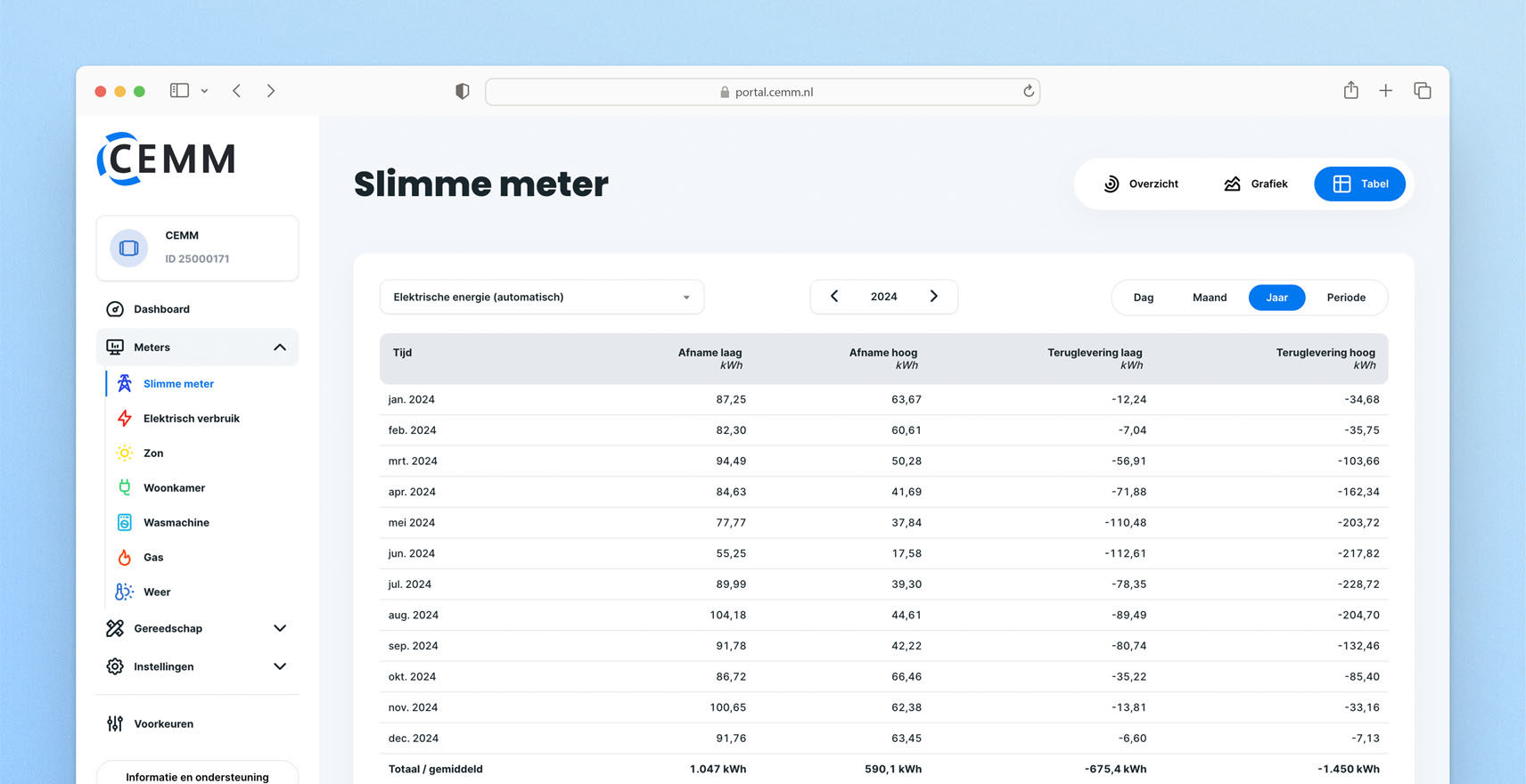
Update 1.12 for CEMM has been released. The update will be automatically installed on your CEMM 3.0 between July 28th and August 10th if automatic updates are enabled. The update can be installed manually immediately. Tip: Make regular backups via Settings > Backups to prevent data loss in the event of unexpected failure.
Still using a CEMM basic or CEMM plus? Take advantage of all the new features by purchasing a one-time upgrade to CEMM 3.0.
Changelog
New
- Table view added to all meters.
- “Download PNG” button added at the top of the graph, to save it as an image.
- Support for more Shelly devices: Shelly PM mini, Shelly 1PM mini, Shelly Pro EM, Shelly Pro 3EM.
- Added option to specify new values for multiple rates at once.
- Added quarter and hour resolutions to the export function.
- Added a button to the export overview to copy the settings of an export to the form, making it easy to re-run an export.
- Added an option to the energy distribution widget: "Auto-scroll statistics." This allows the statistics to scroll back and forth automatically, useful for CEMM displays, among other things.
- Added 15-minute resolution to the public API's time series endpoint.
- New options added to the status and time series endpoints of the public API, see https://wiki.cemm.nl/general/publicapi/.
- Webhooks module: New webhook type added: "Public API Request." This webhook retrieves data from the local public API and forwards it to a server as an HTTP POST request. This new webhook type also allows time series data to be sent as a webhook.
- Restart and Shutdown buttons have been added to the Settings > System page. Use these buttons to remotely restart or shut down the CEMM without losing data.
- The integrity of the database can be checked on the Settings > Backups page.
Changes
- The buffer for new data has been adjusted to 15 minutes. This means that data will only be permanently saved once every 15 minutes. This will not affect history/graphs. In the event of a power outage, up to 15 minutes of data can be lost. If you disable the CEMM yourself, use the new Stop button on the Settings > System page. If you don't have access to the CEMM, wait until one minute after the 15-minute mark, for example, 10:16.
- Added a specific error message for when the backup to a USB device fails because the device is full.
- The "Static Chart Widget" has been removed. Use the "Chart Widget" as an alternative.
- It is now possible to adjust the “read-only” setting of a Modbus RTU bus (via Settings > Meters > Modbus RTU).
- The title of the “Statistics widget” can now be customized.
- The "Voltage" page was removed to make room for the table. If you want to keep the voltage widgets, add them to the meter's overview page.
- Backups expanded with files uploaded via Settings > Media.
Bug fixes
- DLMS: Baud rate was not applied correctly, causing the meter to always read at baud 300.
- Electricity consumption power was incorrectly processed in time series with hourly or annual resolution (for example in the “current channel” widget).
- Labels on the x-axis of the power peak widget changed to month+year.
- Photo widget would give an error if it was first set with a statistic but later removed.
- Fixed an issue with certain combinations of widgets in a single dashboard or display where the styling of widgets affected each other.
- The TDI340 device options page was not fully working when opened from a certain page.
- In a custom period in the graph, in some cases one day in the previous month was shown.
- Automatic detection for changes in meter readings adjusted (less chance of a peak in case of overflow/meter replacement).
- SunSpec scan failed when configuring a Modbus TCP meter
Bug fixes in 1.12.10
On 15-08-2025 a minor update was released with the following bug fixes.
- Fixed error message when adding the first meter on a new CEMM.
- Saving a custom meter overview did not always work.
- Font size issue in energy flow widget (probably) fixed.
- Some smart gas meters occasionally send a 0 reading. A 0 reading is now ignored by the CEMM to prevent peaks.
- Pulse meter reading is now also calculated if no manual reading has been entered (in which case the meter reading is equal to all the energy that the CEMM has measured).
- Pulse meter reading is now calculated immediately upon start-up.