

Linking the CEMM to your account
With an account, you can view your CEMM from anywhere, even when you are not at home.
- Go to portal.cemm.nl or open the CEMM 3.0 app on your smartphone (iPhone or Android).
- Create an account, or log in with your existing account.
- Click Add CEMM.
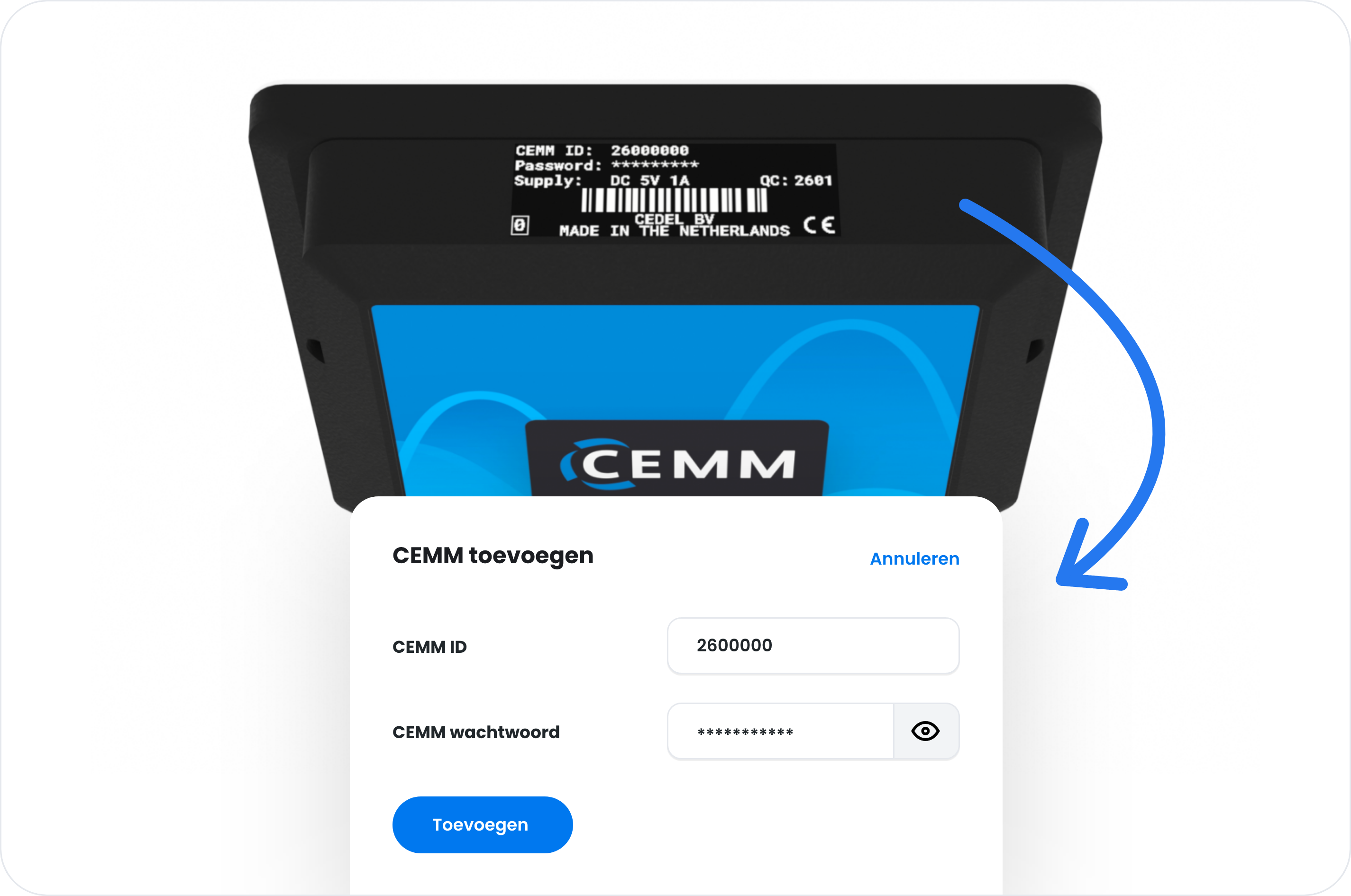
- Enter the CEMM ID and the password. You can find them on the sticker on the top of the CEMM.
- Once it is linked, click the CEMM to view it.
Problem?Trouble linking?
- Wait until the CEMM has finished starting up. This can take a few minutes.
- Check that you have entered the CEMM ID and password exactly as they appear on the sticker.
- Still not working? Contact support.
Your situationI want to use the CEMM without an account
You can. Go to the local IP address of the CEMM in your browser, or use the app without logging in. Without an account, you cannot view the CEMM remotely.
You can find the local IP address in your router or in the CEMM on the System › Network page. You can also use the hostname cemm.local or cemm.
Still stuck? Contact support